


DaTuner: Tuner & Metronome
4.27.35K Reviews
App Specs
- Version
- 3.7.8
- Updated On
- License
- Free
- Downloads
- 10,000,000+
- Developer
- Prometheus Interactive LLC
- Categories
- Music & Audio
- Platform
- Android, iOS
Screenshots
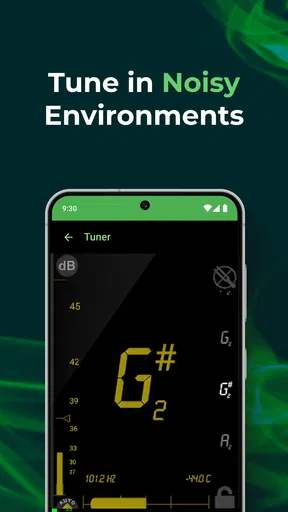
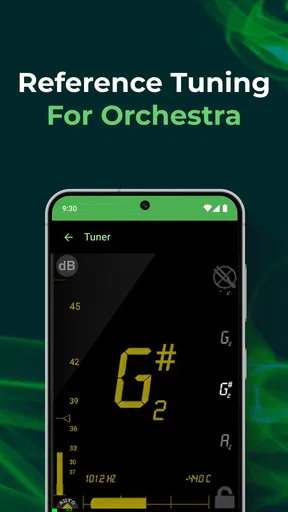

 Analysis by AppCompare
Hey there, fellow music enthusiasts! If you're anything like me, you've probably struggled with tuning your instrument at some point. Whether you're gearing up for a jam session or just practicing at home, having a reliable tuner app can be a total game-changer. Enter DaTuner: Tuner & Metronome, an app that's been buzzing in the music community for its simplicity and effectiveness.
What to expect from this tuner and metronome
I’d think of DaTuner as a practical practice companion rather than a full music-making studio. Its core appeal is that it brings instrument tuning and beat practice into one place. That makes it especially handy if you move between instruments or want to tune quickly before working through a rhythm exercise. The app is in the Music & Audio category, and Prometheus Interactive LLC is its developer.
Its audience is broad: the app is rated for Everyone, and it has been available since January 6, 2011. It has a 4.2 average from around 450,000 ratings, with over 10 million installs. Those figures suggest that many musicians have found a use for it, but popularity alone does not guarantee that its approach will suit you. The useful question is whether you want a direct tuner and metronome, rather than a larger suite of lessons, recording tools, or song libraries.
DaTuner is free to install, with in-app purchases ranging from $0.99 to $99.99 per item. I’d check the purchase details shown in the app before paying for anything, and treat the free version as the place to decide whether its basic workflow fits your routine. Its current version is 3.7.7 and it requires Android 5.0 or later. If you use an iPhone or iPad, check the version and requirements shown for your device in its own store before installing.
Getting Started with DaTuner
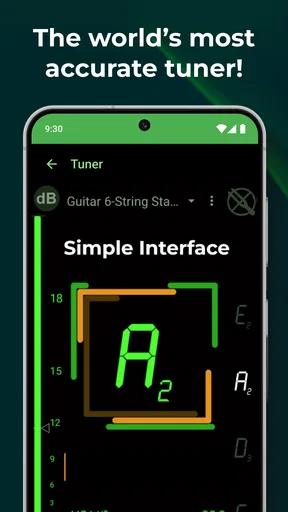
First things first, setting up DaTuner is a breeze. Once you download it from your respective app store, the app opens up with a straightforward interface. No overwhelming menus or options here, just a clear and concise display that gets straight to the point. As someone who values a no-fuss approach, I appreciated not having to fiddle with too many settings right off the bat.
Your first setup and first useful result
For a first session, I’d put the instrument somewhere stable, open the tuner, and play one string or note at a time. That gives the app a cleaner signal to interpret than strumming several strings together. Watch for the displayed note and frequency, then make small adjustments and pluck again; turning a tuning peg while a note is still ringing can make it harder to judge whether the pitch has settled.
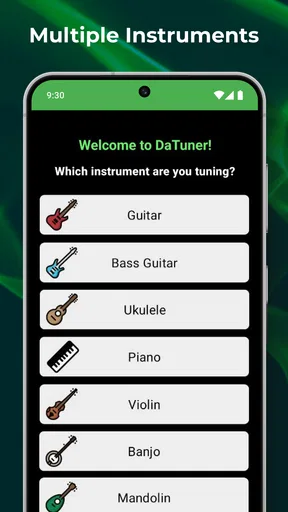
The app supports a range of instruments, including guitar, bass, violin, ukulele, and banjo. All you need to do is start playing, and DaTuner will pick up the sound immediately. It’s super responsive, which is a huge relief when you’re in a hurry or trying to catch the right pitch in a noisy environment. In practice, though, a phone microphone can only work with the sound that reaches it, so positioning matters: keep the device close enough to hear the instrument clearly and avoid placing it beside a speaker or another player.
Worth Reading Before You Choose

Flipboard Shows What News Apps Must Do Beyond the Feed

Switching to Android Auto Means Rethinking Your Driving Routine

Google Calendar Makes a Crowded Week Easier to Manage

Ludo King Makes the Most of the Minutes Between Plans

Baby Panda World Brings Quick Play to Modern Phones, but Its Game Library Feels Busy

ESPN’s Live Game View Makes Following Close Games Easier
A useful first success is not simply seeing a note appear; it is getting one string to settle consistently on the intended pitch. If the display jumps between notes, pause, mute other strings, and pluck again with a steady attack. That small reset is often more helpful than changing settings immediately. Once the reading is stable, repeat the same method across the instrument rather than rushing through all the strings in one loud strum.
The Tuning Experience
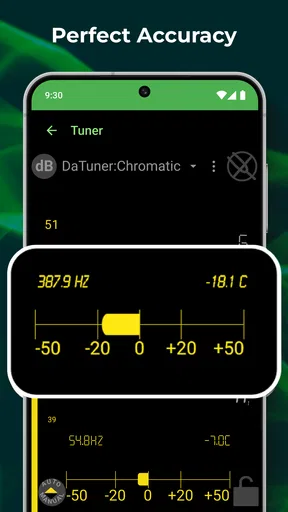
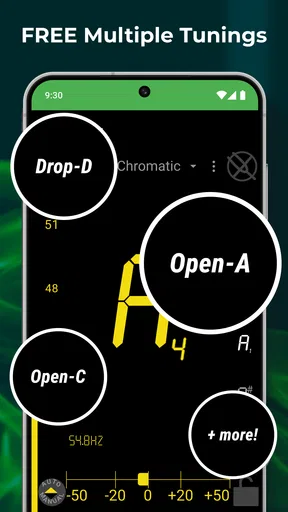
Now, let’s dive into the meat of the app—the tuning. DaTuner offers both chromatic tuning and a range of preset tunings for different instruments. The chromatic tuner is incredibly accurate, which is crucial for any musician aiming for precision. As you play a note, the app displays the frequency and the nearest note, helping you adjust as needed.
Chromatic mode is particularly useful when you are not using a standard setup or want to check an individual note without relying on an instrument label. Presets are quicker when you are following a familiar tuning, while the chromatic display gives you more freedom to inspect what you are actually playing. I’d choose one route deliberately: if a note looks unexpected, first confirm that you meant to use a non-standard tuning before assuming the app has misread the sound.
One of the standout features for me is the app's auto-sensitivity. It intelligently adapts to the volume of your instrument, which means it works just as well in a quiet room as it does in a bustling practice space. I found this particularly useful during rehearsals when background noise can be distracting.
There is still a trade-off in noisy rooms. Automatic sensitivity can help the tuner respond to different playing levels, but it cannot separate your instrument from every competing sound. For a cleaner reading, tune during a pause, move closer to the instrument, and pluck a single note rather than asking the microphone to sort out a chord amid conversation. If you need dependable readings on a loud stage, a clip-on tuner may be the better choice because it senses vibration directly instead of relying on the room’s sound.
Metronome Magic
Aside from being a top-notch tuner, DaTuner also includes a metronome feature. This is a lifesaver for anyone working on timing and rhythm. The metronome is easy to set up; just dial in your desired tempo and time signature, and you’re good to go. I love how you can customize the sound of the metronome clicks to suit your preference. It’s those little touches that make the app user-friendly.
For a realistic everyday routine, imagine picking up a guitar after dinner to work on a chord change that keeps slowing down. I’d tune first, set a comfortable beat, and practise the transition slowly enough to keep each change clean. After a few steady repetitions, I’d raise the tempo only when the movement stayed relaxed. The metronome is useful here not because it makes practice automatic, but because it gives you an honest reference when your hands want to rush.
For those who like to experiment, the metronome also offers different visual cues, which is great if you're more of a visual learner. Personally, I find the visual beat indicators handy when practicing more complex rhythms.
Visual cues also offer a practical alternative when you do not want another sound competing with your playing. You can follow the beat visually while listening closely to your own timing, which is helpful for a quiet practice session or when a click is distracting. For difficult rhythms, I’d start with a tempo that lets me count comfortably, then use the cue to notice exactly where a rushed or delayed note falls. That turns the metronome into a way to diagnose a passage, not just a background pulse.
Where it fits, and where it doesn’t
Compared with a basic single-purpose tuner, DaTuner’s advantage is having a metronome alongside tuning, so you can move from setup to timing practice without switching apps. Compared with broader musician apps, its appeal is a more focused job: it is not the option I’d pick when I need lessons, notation, recording, or a full arrangement workspace. If you mainly need one dependable reference for pitch and beat, that narrower scope can feel refreshingly simple. If your priority is silent stage tuning, a physical clip-on device may be more appropriate.
It is a strong fit for beginners who want a straightforward way to check pitch, for casual players who practise at home, and for multi-instrument musicians who value having several instrument choices in one tuner. A more experienced player can also use it for quick checks and metronome work. I would skip it if you need a dedicated hardware tuner for a loud performance, or if you expect an app to teach technique and organize a complete practice plan. A phone app can support practice, but it cannot replace listening carefully or building a consistent tuning routine.
Why DaTuner Stands Out
What really makes DaTuner shine in the sea of tuner apps is its combination of simplicity and versatility. It doesn’t overwhelm you with unnecessary features, yet it provides everything you need to keep your instrument in check. The app is lightweight, so it won’t hog your device’s resources, and it works seamlessly on both Android and iOS.
Another thing worth mentioning is the app’s low-latency performance. I’ve tried a few other tuner apps before, and one of my biggest pet peeves is lag. Thankfully, DaTuner responds almost instantaneously, which is crucial when you're adjusting strings during a live session or recording.
That quick response is most valuable when you are making small corrections: pluck, read, adjust, and pluck again without losing your place. Still, a fast display is only useful when the note itself is clear. I would not treat a momentary flicker as a final verdict; let the note ring steadily and look for a reading that holds. For delicate instruments, gentle plucking can also help avoid pushing the pitch sharp with an overly forceful attack.
One limitation of combining tools is that a tuner and metronome do not automatically make a complete rehearsal setup. You still need to decide what to practise, set a realistic tempo, and listen for clean notes. That is a fair trade-off for an app that keeps its focus on a couple of common tasks. I’d also make sure the phone is positioned where I can see the tuner without awkwardly twisting while holding the instrument; a readable display is only useful if the playing posture stays comfortable.
Final Thoughts
All in all, DaTuner: Tuner & Metronome is a fantastic tool for musicians of all levels. Whether you’re a beginner just learning the ropes or a seasoned player looking for a reliable tuner, this app has got you covered. It’s user-friendly, precise, and versatile—everything you could ask for in a musical companion.
So, if you're on the hunt for a tuner app that delivers on its promises without breaking the bank, give DaTuner a try. It’s a small investment that pays off big time in terms of convenience and accuracy. Happy tuning!
Pros
- Accurate tuning for various instruments.
- Easy-to-use interface for beginners.
- Supports a wide range of frequencies.
- Metronome feature enhances practice.
- Customizable settings for precision.
Cons
- Ads can be intrusive at times.
- Limited free features.
- Requires in-app purchases for full access.
- Interface lacks advanced options.
- May not support all niche instruments.
FAQs for DaTuner: Tuner & Metronome
What platforms is DaTuner: Tuner & Metronome available on?
DaTuner: Tuner & Metronome is available for both Android and iOS devices. You can download it from the Google Play Store for Android or the Apple App Store for iOS. Ensure your device meets the minimum system requirements for a smooth experience.
Does DaTuner support multiple musical instruments?
Yes, DaTuner supports a wide range of musical instruments. Whether you're tuning a guitar, violin, ukulele, or even a brass instrument, DaTuner provides accurate tuning capabilities for various frequencies, making it versatile for musicians of all kinds.
Is DaTuner suitable for beginners?
Absolutely, DaTuner is user-friendly and suitable for beginners. The app offers a clear and intuitive interface, with easy-to-follow instructions and visual indicators, making it simple for those new to tuning instruments to achieve accurate results quickly.
Does DaTuner offer a metronome feature?
Yes, DaTuner includes a metronome feature, allowing you to set and customize tempo for your practice sessions. This feature is beneficial for musicians looking to improve their timing and rhythm, providing a comprehensive tool for both tuning and practice.
Is DaTuner free to use, or does it have in-app purchases?
DaTuner offers a free version with basic features, but it also includes in-app purchases for additional functionalities. These may include advanced tuning options, ad removal, and enhanced metronome settings. Users can choose to upgrade based on their needs.


